
Mileage Tracker & Vehicle Log
autolog.appAuto & Vehicles
4.2369.00 Reviews
- Version
- 4.2.5
- Installs
- 500.00K
- Age Rating
- Everyone
Screenshots
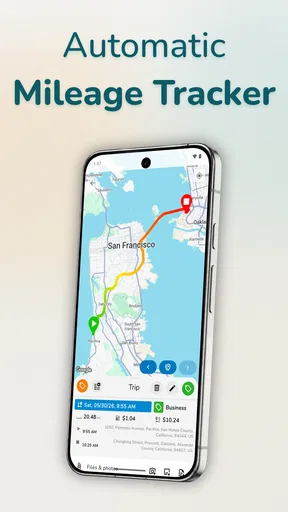
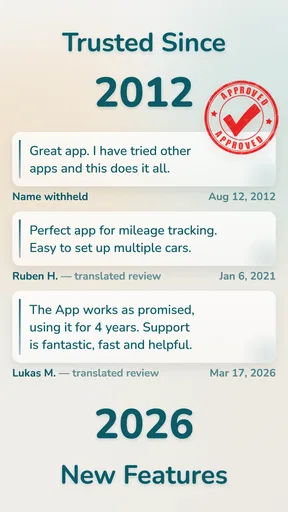
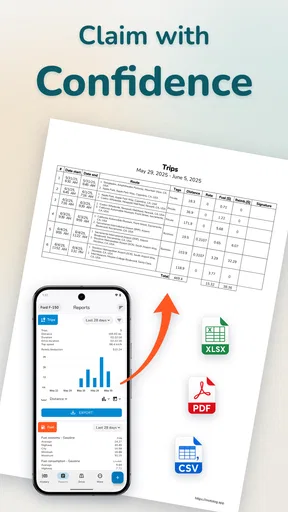
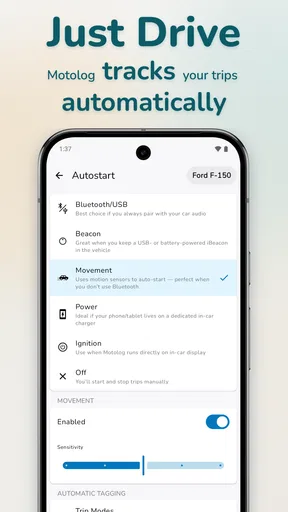
Our Review of Mileage Tracker & Vehicle Log
 Analysis by Appyee
When it comes to managing your vehicle expenses and tracking mileage, the Mileage Tracker & Vehicle Log app is a game-changer. Imagine having all your vehicle-related data neatly organized in one place. Let’s dive into the details and see what this app has to offer for folks like you and me who want to keep things simple yet effective.
Getting Started with the Basics
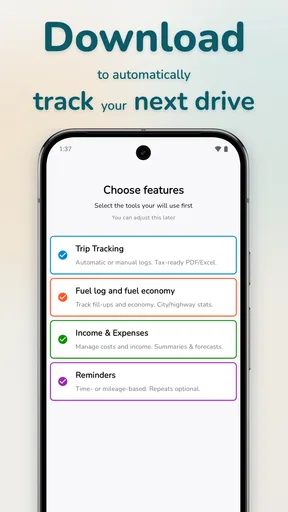
First off, setting up the Mileage Tracker & Vehicle Log is a breeze. Once you download it, the user-friendly interface guides you through the initial setup. You’ll need to input details about your vehicles, like the make, model, and year. It’s kind of like setting up your car profile, which is pretty cool.
The app integrates seamlessly with both Android and iOS platforms, so no worries if you switch devices often. I found it particularly handy that it syncs across all your devices, so you’re never missing out on important data. Just log in, and boom, everything’s there.
The Mileage Tracking Feature
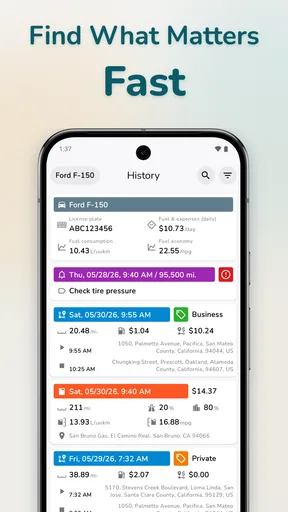
This is where the app truly shines. The mileage tracking feature uses your phone’s GPS to log each trip automatically. No more jotting down odometer readings after every drive. You just start driving, and the app does the rest. It’s like having a personal assistant that follows you on the road.
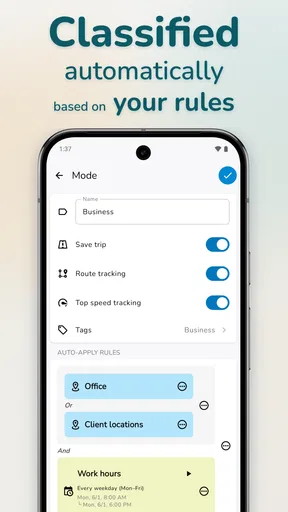
What I loved most is the trip categorization. You can label trips as business, personal, or even custom categories that suit your specific needs. This is especially helpful if you need to report mileage for tax deductions or reimbursement. It’s all there, neatly organized and easily accessible.
Tracking Expenses Made Easy
Besides mileage, the app also lets you track fuel expenses, maintenance, and other vehicle costs. You simply enter details like fuel price, service dates, and costs, and the app keeps a running total for you. It’s like having a mini accountant in your pocket.
The graphical reports are a nice touch, providing a visual breakdown of your expenses. Whether you’re a numbers person or someone who just wants a quick glance, the app has got you covered. You can even export these reports if you need to share them with your accountant or for personal records.
User Experience and Interface
Now, let’s talk about the user experience. The app’s design is clean and intuitive. Even if you’re not tech-savvy, you’ll find navigation a walk in the park. Everything is where you’d expect it to be, and the app doesn’t bombard you with unnecessary options.
The developers have clearly put thought into making the app a pleasure to use. The color scheme is easy on the eyes, and the fonts are just the right size. It’s these little things that make a big difference during long hours of use.
Backing Up and Security
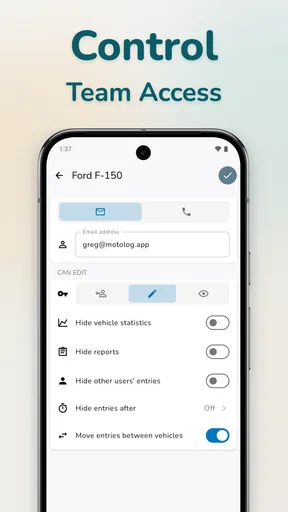
Security is always a concern with apps that store personal data, but rest assured, Mileage Tracker & Vehicle Log has got you covered. It offers secure backup options, so your data is always safe, even if you lose your device. You can choose to back up data manually or set it to auto-sync with cloud storage.
Having tested various apps, I can confidently say that the security features here are robust. Your data is encrypted, which means it’s safe from prying eyes. It’s peace of mind, knowing your financial and vehicle data is protected.
Final Thoughts
In conclusion, if you’re looking for a reliable and feature-rich app to manage your vehicle expenses and track mileage, the Mileage Tracker & Vehicle Log is a solid choice. It’s user-friendly, efficient, and packed with all the features you’d need to keep your vehicle logs up to date.
Whether you’re a business professional tracking expenses for tax purposes or just someone who likes to keep a close eye on their vehicle costs, this app has something for everyone. Give it a try, and you might just find it’s the app you’ve been looking for all along.
Ready to take control of your vehicle expenses? Download the app today and see the difference it makes in streamlining your vehicle management tasks.
Verdict
Strengths of Mileage Tracker & Vehicle Log
- Simple interface for easy navigation.
- Accurate mileage tracking for business use.
- Integrates with GPS for precise data.
- Export reports in multiple formats.
- Customizable categories for expenses.
Limitations of Mileage Tracker & Vehicle Log
- Limited free version features.
- Occasional GPS accuracy issues.
- Ads in the free version.
- No cloud backup in basic version.
- Requires manual input for some data.
Similar Picks in This Category
View All
Android Auto
Google LLC4.1

maxim — order a taxi & food
PT. SITO4.7

Штрафы ГИБДД: проверка с фото
Pays LLC – Штрафы ГИБДД4.7

Номерограм – проверка авто
Авто Ассист4.8

Дром Авто
Дром4.9

Frequently Asked Questions
What platforms is Mileage Tracker & Vehicle Log available on?
Mileage Tracker & Vehicle Log is available for download on both Android and iOS platforms. You can find it on the Google Play Store for Android devices and the Apple App Store for iOS devices. Ensure your device meets the app's minimum OS requirements for a smooth experience.
Does Mileage Tracker & Vehicle Log require an internet connection to function?
While Mileage Tracker & Vehicle Log offers offline functionality for basic logging, certain features such as cloud backup, real-time syncing, and some advanced analytics may require an internet connection. It's recommended to periodically connect to the internet to ensure data is backed up securely.
How secure is my data on Mileage Tracker & Vehicle Log?
The app prioritizes data security by using encryption to protect your information. Additionally, it offers cloud backup options, allowing you to restore your data easily. Always ensure that your app is updated to the latest version to benefit from the latest security features.
Is there a limit to the number of vehicles I can track with Mileage Tracker & Vehicle Log?
Mileage Tracker & Vehicle Log allows you to track multiple vehicles. However, the free version may have limitations on the number of vehicles you can add. For unlimited tracking and additional features, consider upgrading to the premium version of the app.
Can I export my mileage logs from Mileage Tracker & Vehicle Log?
Yes, Mileage Tracker & Vehicle Log offers export options for your logs. You can export data in various formats such as PDF or CSV, making it easy to share with your accountant or for record-keeping. This feature is especially useful for business users who need to report mileage for tax purposes.
